Part 0: Calibrating Your Camera and Capture a 3D Scan!
Here is the 3D scan of my doggy! You can drag and scroll to explore different views.
Part 1: Fit a Neural Field to a 2D Image
Part 1.1: Model Architecture
| Property | Description |
|---|---|
| Model Type | Multi-Layer Perceptron (MLP) with sinusoidal positional encoding |
| Purpose | 2D coordinate-based neural radiance field (NeRF-style) for image regression |
| Input | 2D spatial coordinates (x, y) |
| Output | RGB color values (r, g, b) in range [0, 1] |
| Number of HiddenLayers | 3 |
| Layer Width | 128 |
| Sinusoidal Encoding | Sinusoidal encoding with L = 10 frequency bands |
| Activation Function | ReLU for hidden layers, Sigmoid for output |
| Optimizer | Adam |
| Learning Rate | 1e-2 |
| Loss Function | Mean Squared Error (MSE) |
Part 1.2: Training progression visualization
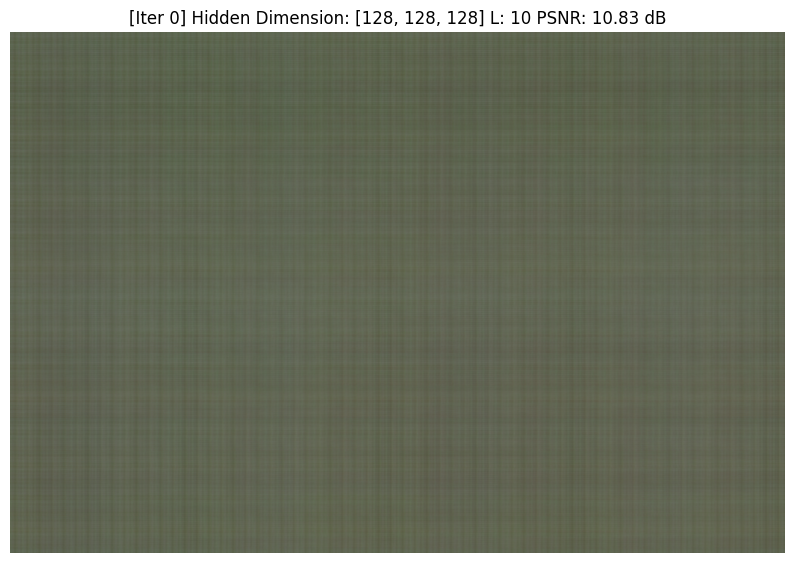
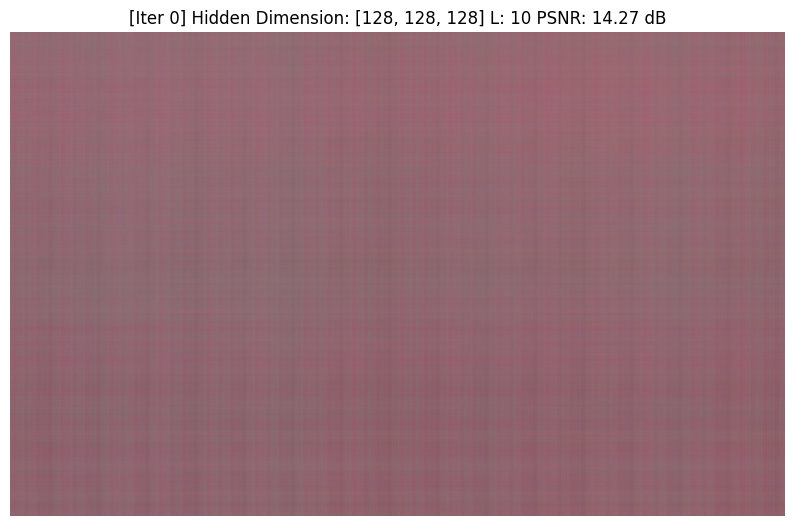
Part 1.3: Grid for demonstrating the effect of hidden dimensions and L
| Dimension/L (dB) | 4 | 10 | 16 | 25 |
|---|---|---|---|---|
| [128, 128, 128] | 26.03 | 27.81 | 27.67 | 27.44 |
| [256, 256, 256] | 26.01 | 28.33 | 28.42 | 27.69 |
![[4, 128, 128, 128]](/images/compsci180/proj_4/part1_results/128_128_128_4.png)
![[10, 128, 128, 128]](/images/compsci180/proj_4/part1_results/128_128_128_10.png)
![[16, 128, 128, 128]](/images/compsci180/proj_4/part1_results/128_128_128_16.png)
![[25, 128, 128, 128]](/images/compsci180/proj_4/part1_results/128_128_128_25.png)
![[4, 256, 256, 256]](/images/compsci180/proj_4/part1_results/256_256_256_4.png)
![[10, 256, 256, 256]](/images/compsci180/proj_4/part1_results/256_256_256_10.png)
![[16, 256, 256, 256]](/images/compsci180/proj_4/part1_results/256_256_256_16.png)
![[25, 256, 256, 256]](/images/compsci180/proj_4/part1_results/256_256_256_25.png)
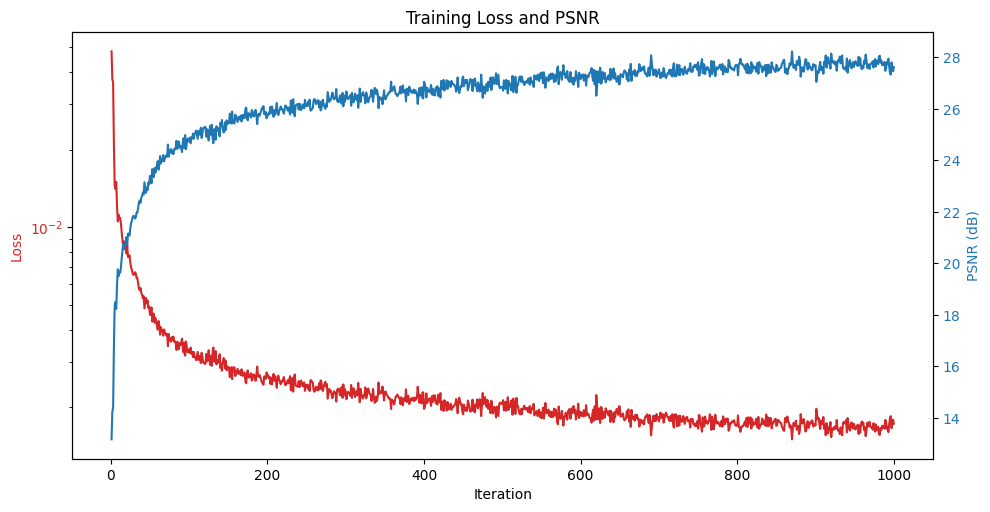
Part 1.4: PSNR Curve when training
This is the PSNR curve and Loss curve when training with the self-chosen image. The dimensions are [128, 128, 128] and L = 10.
Part 2: Fit a Neural Radiance Field from Multi-view Images
Now we move on to the more challenging part of implementing a Neural Radiance Field from multi-view images.
Part 2.1: Brief Introduction
The NeRF model part can be devided into the following steps:
- We first need to calculate the rays from the cameras.
- After we get the rays, we need to sample the points along the rays.
- We need to implement the models, the models take the point coordinates and the camera rays as input and output the color and density of the point.
- Then we need to integrate the density along the ray to get the final color of the ray.
Calculate rays from cameras
Follow the instruction given, I implement 3 functions for calculating the rays from cameras namly:
transfrom: This function transforms a point from the camera coordinates to world coordinates. (Extrinsic Transformation Matrix)pixel_to_camera: This function transforms a pixel to the camera coordinates. (Intrinsic Transformation Matrix)pixel_to_ray: This function transforms a pixel to the ray direction in the camera coordinates. It first us thepixel_to_camerato get the camera coordinates of the pixel, then use the camera coordinates to get the ray direction in the camera coordinates.ray_orepresents the camera origin direction in the world coordinates andray_drepresents the ray direction in the world coordinates.
After the process, we can get the rays in the world coordinates. Then we can sample the points along the rays to get the color and density of the point.
Sample points along the ray
Here I just implement a class RaysData for handling all the arrays in a group of images. Inside the class, I implement the function sample_rays by first sampling num_images number of images from the image pool and then sample tot_samples/num_images number of rays for each image.
After sampling the rays, we need to sample along the rays by using the sample_along_rays function. This function is implemented by first sampling num_samples number of points along the ray and then transform the points to the world coordinates.
Implement the models
Here I implement a class NeRF3D inheriting from torch.nn.Module class. The class is used to implement the NeRF model.
| Component | Input | Output | Description |
|---|---|---|---|
| Inputs | x ∈ ℝ³, ray_d ∈ ℝ³ | — | 3D point and ray direction |
| Position Encoding (x) | (B, 3) | (B, 63) | 10-frequency sinusoidal encoding |
| Direction Encoding (ray_d) | (B, 3) | (B, 27) | 4-frequency sinusoidal encoding |
| MLP Trunk | (B, 63) | (B, 256) | 4-layer MLP with ReLU activations |
| Skip Block | (B, 256 + 63) | (B, 256) | Combines trunk output and encoded position |
| Density Head | (B, 256) | (B, 1) | Predicts volume density (Softplus) |
| Feature Layer | (B, 256) | (B, 256) | Latent feature for color prediction |
| Color Head | (B, 256 + 27) | (B, 3) | Predicts RGB color (Sigmoid) |
| Outputs | — | density ∈ ℝ¹, color ∈ ℝ³ | Final NeRF outputs per sample |
Integrate the density along the ray
Then after we put the 3D coordinates and rays into the model, we can get the density and the color of the point. Then we need to integrate the density along the ray to get the final color of the ray by implementing the volrend function.
In the function, we use the t_val from the sample_along_rays function to know that after the purtubation what is the distance between each sample point. Then we can use the density to integrate the color along the ray.
Training the model
Then we set the optimizer to be Adam and the loss function to be the mean squared error. We then train the model for 1000/5000/10000 steps based on the task we have.
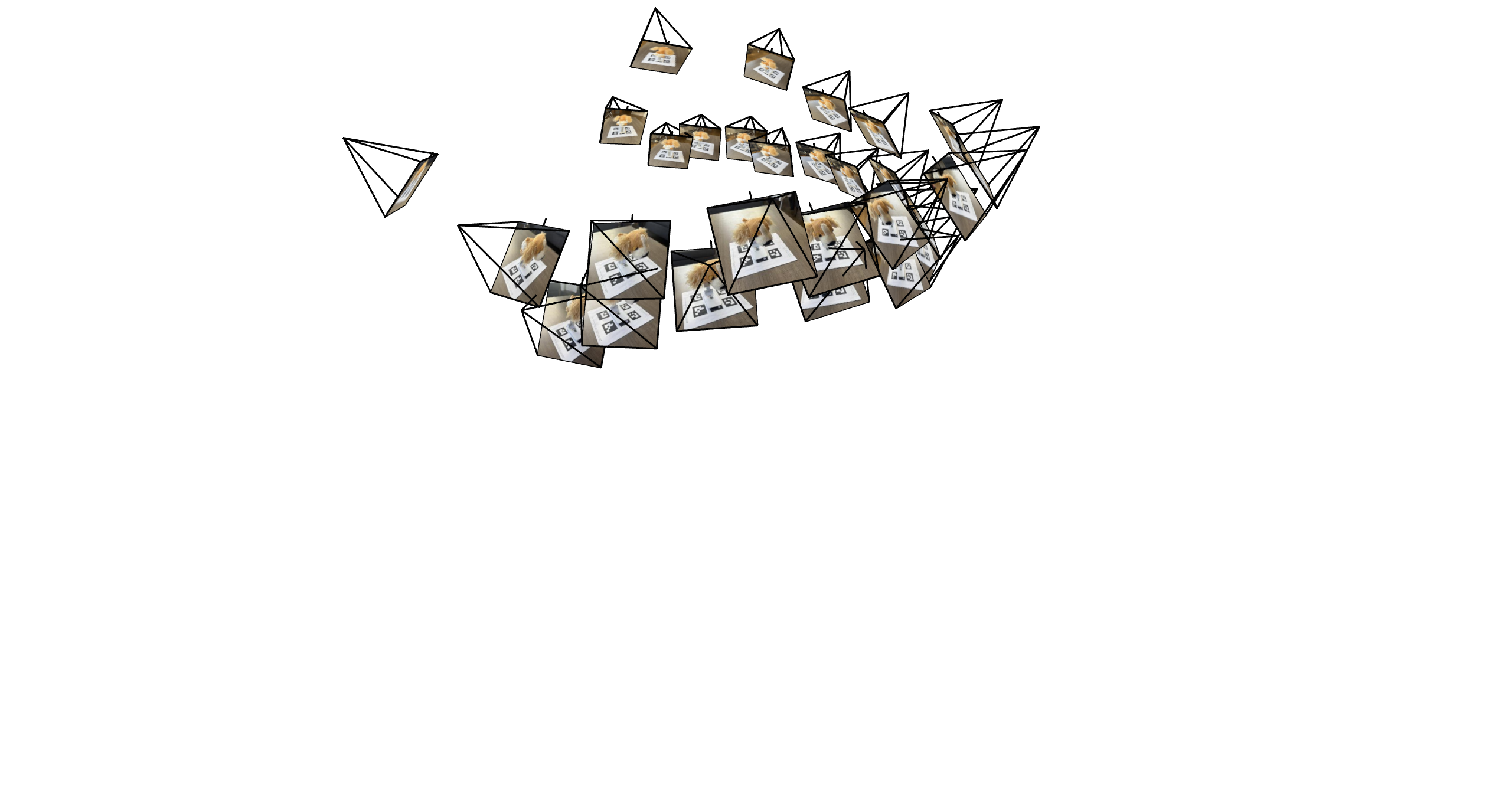
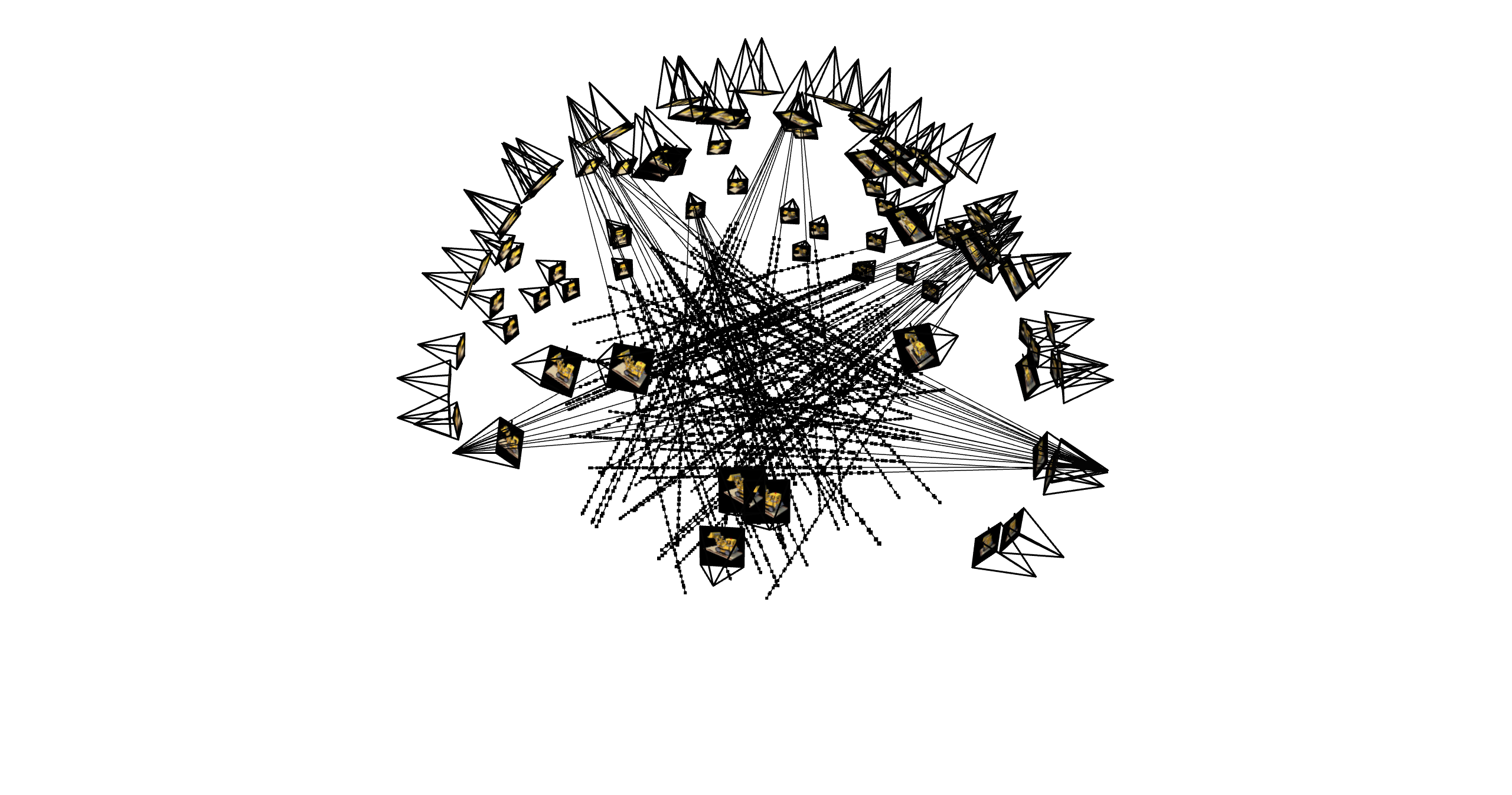
Part 2.2: Visualization of rays and samples with cameras
This is the visualization of rays and samples with cameras. We can see that the rays are sampled from the camera and the samples are sampled from the rays.
Part 2.3: Training visualization / PSNR curve
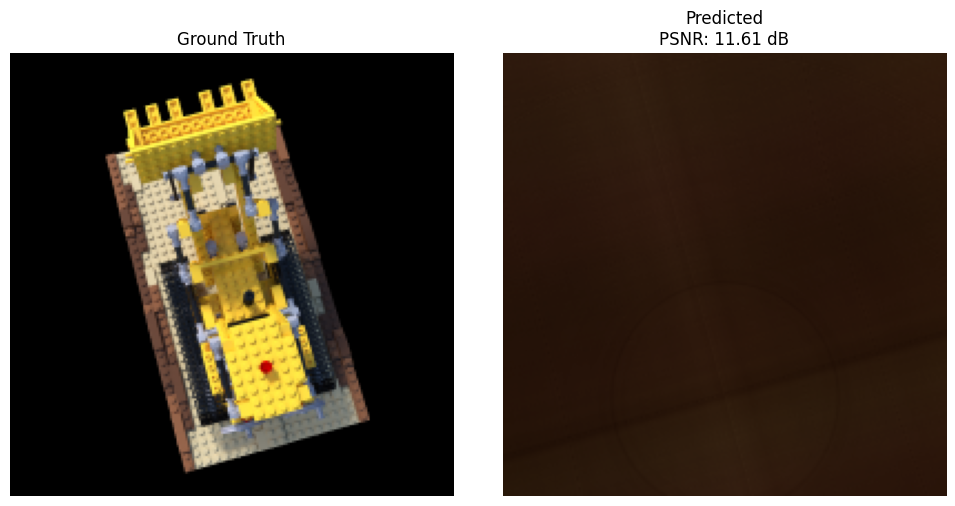
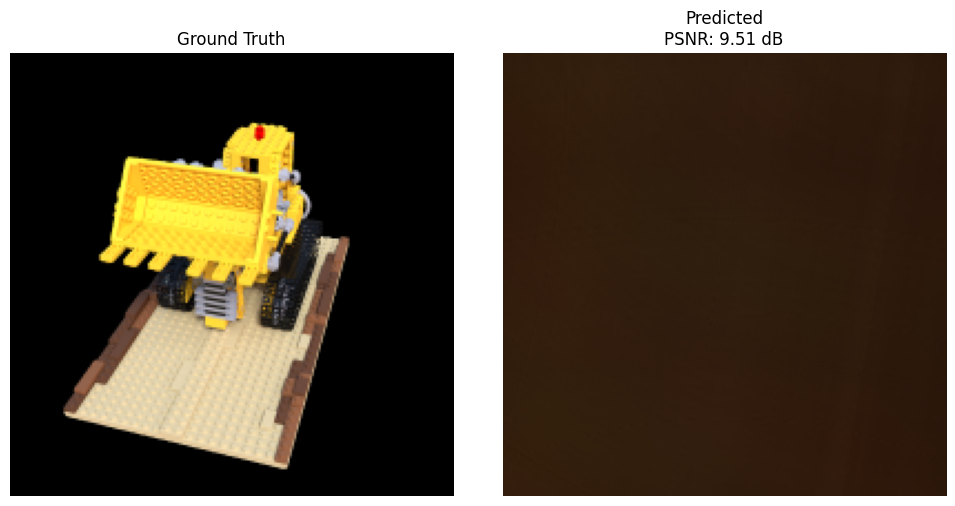
Part 2.4: Spherical rendering video
After training the model, we can render the test scenes in spherical coordinates.
Part 2.6 Training with Your Own Data
The training data that I use is a doggy of mine. Here is the demonstration of the data: (The data is first resized to 200x200 for faster evaluation.)
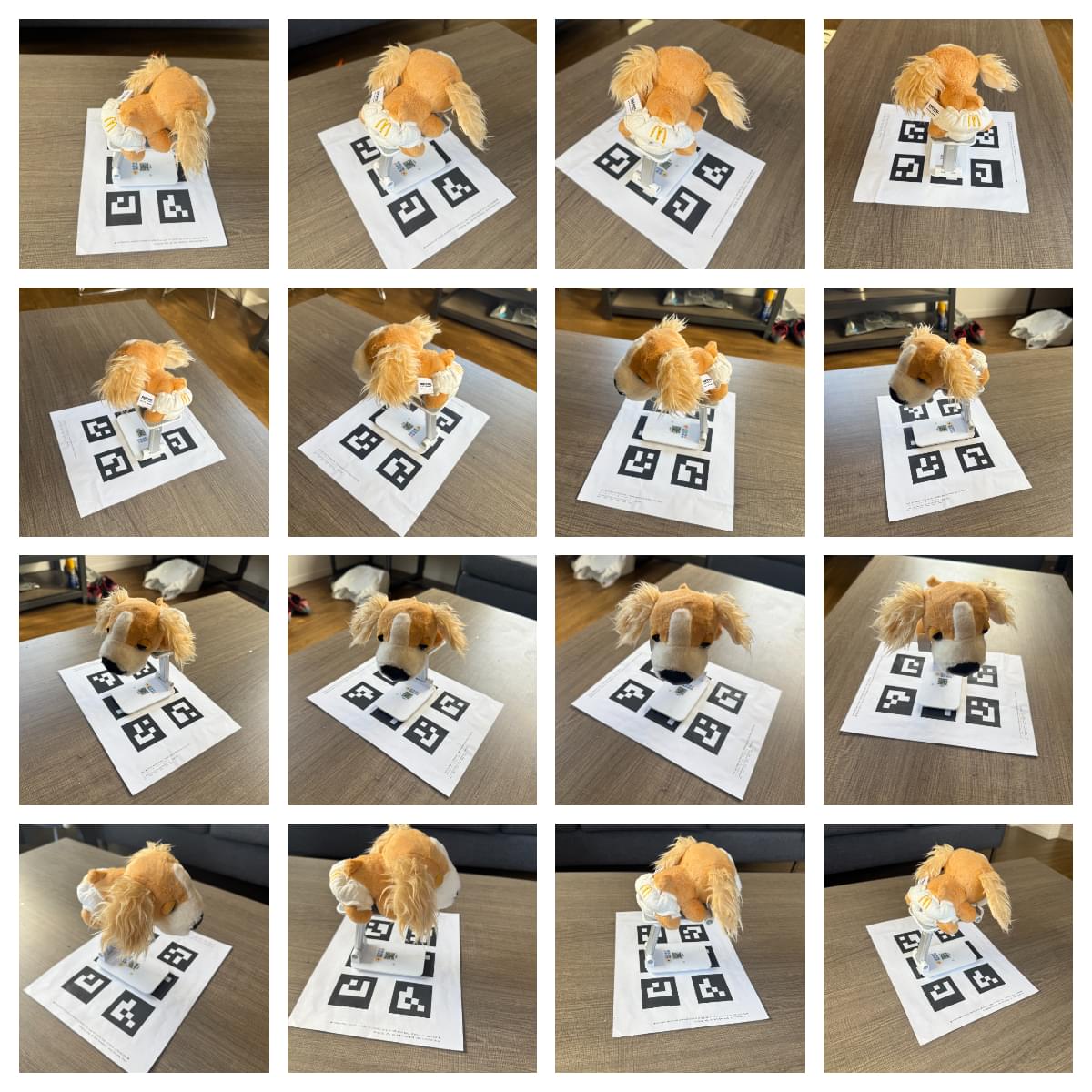
I have taken in total 38 images of the doggy from different angles and different distances. I try to keep the distance of the camera nearly the same for each image. After ArUco tags detection, only 29 images survive with having ID 4 tags in the image. Using the 28 of the images for training and the other 1 image for validation, I get the following results:
Hyperparameter Tuning
Here I tune the hyperparameters of the model to get the best performance. I tune the following hyperparameters:
- Sample
nearandfardistance from the camera. - Sample
num_samplesnumber of points along the ray. - Training steps
These parameters are important as if we choose the distance too far, it has high possibility that those points are occluded and therefore do not contribute to the final color of the ray. Also, if we sample too few points, it will not be able to capture the details of the scene and will lead to some bad holes in the rendering.
Training loss over iterations
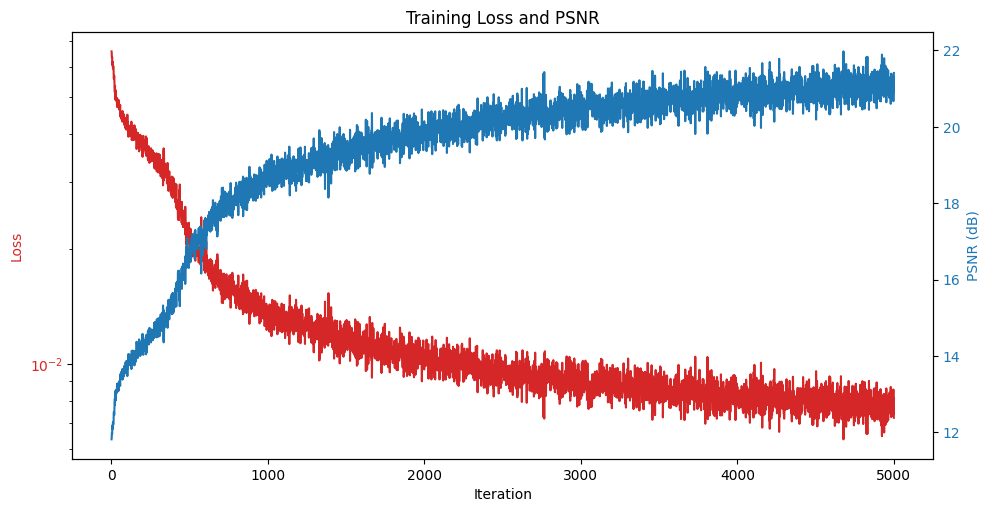
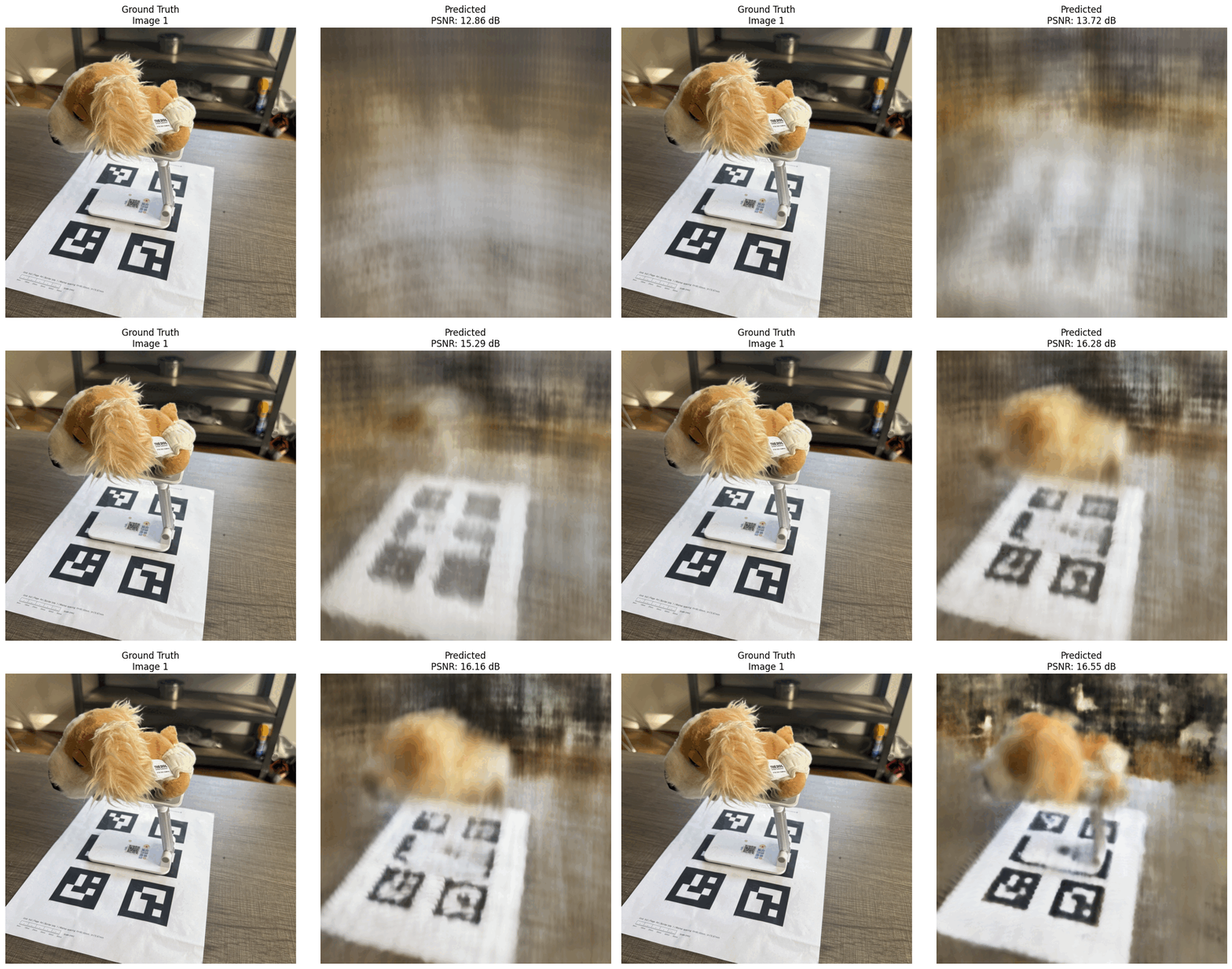
Intermediate renders of the scene during training
Here are the intermediate renders of the scene during training. We can see that the model is able to fit the training data well.