
Part A: The Power of Diffusion Models!
Part 0: Setup
Results Comparison: Different Resolutions and Inference Steps
The following table shows the generated images for 5 different prompts, comparing low resolution (after stage 1 of the network) vs high resolution (after stage 2 of the network), and 20 inference steps vs 50 inference steps.
| Prompt | Low Resolution 20 Steps | Low Resolution 50 Steps | High Resolution 20 Steps | High Resolution 50 Steps |
|---|---|---|---|---|
| 1. An oil painting of a snowy mountain village |  |  | 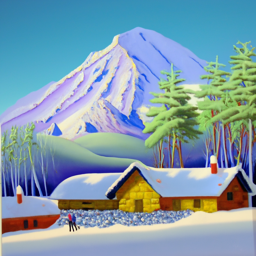 | 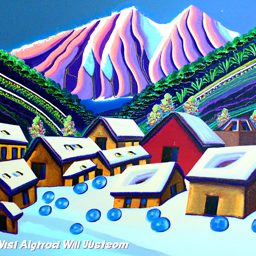 |
| 2. An oil painting of an old man |  |  | 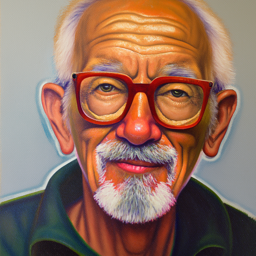 | 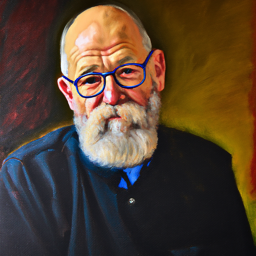 |
| 3. An oil painting of a young lady |  |  | 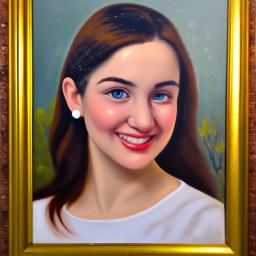 | 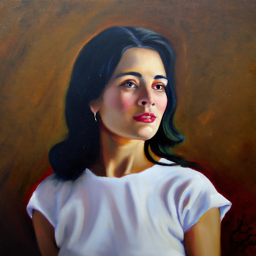 |
| 4. A lithograph of waterfalls |  |  | 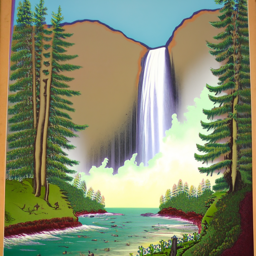 | 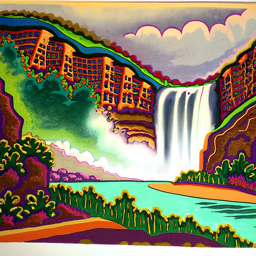 |
| 5. A lithograph of a skull |  |  | 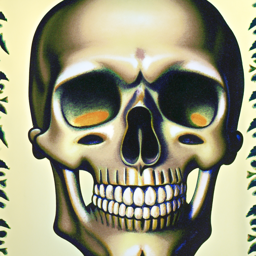 | 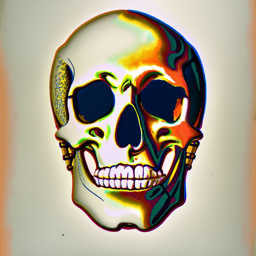 |
Analysis
This comparison demonstrates the effects of:
- Resolution: High resolution images provide more detail and clarity compared to low resolution versions
- Inference Steps: More inference steps (50 vs 20) generally result in more refined and detailed outputs, though the improvement may vary depending on the prompt (For example, for the two scenary views, the results in more inference steps do not look much better than the results in less inference steps, they seem both unrealistic.)
Part 1: Sampling Loops
Part 1.1 Implementing the Forward Process
The implementation of the forward function is as follows:
1 | def forward(im, t): |

Noise Level: 250

Noise Level: 500

Noise Level: 750

Original
Part 1.2 Classical Denoising
This section demonstrates the effect of traditional Gaussian blur denoising on noisy images. The images below show a comparison between the noisy images (before denoising) and the results after applying Gaussian blur denoising.
| Noise Level | Before Denoising (Noisy Image) | After Gaussian Blur (Denoised Image) |
|---|---|---|
| Noise Level: 250 | |  |
| Noise Level: 500 | |  |
| Noise Level: 750 | |  |
| Original | |  |
The comparison above demonstrates the effect of Gaussian blur denoising:
- Noise Reduction: Gaussian blur effectively reduces high-frequency noise, making the images appear smoother. While noise is reduced, Gaussian blur also tends to blur fine details and edges, resulting in a loss of sharpness
- Limitations: Traditional Gaussian blur is a simple denoising method that doesn’t preserve image structure as well as more advanced denoising techniques like diffusion models
Part 1.3 Implementing One Step Denoising
The one step denoising is mainly by the following steps:
- Use
forwardto get the noisy image at timestept - Estimate the noise at timestep
t - Remove the noise to get an estimate of the original image
| Noise Level | Original Image | Before Denoising (Noisy Image) | After One Step Denoising (Denoised Image) |
|---|---|---|---|
| Noise Level: 250 | | |  |
| Noise Level: 500 | | |  |
| Noise Level: 750 | | |  |
Part 1.4 Implementing Iterative Denoising
The iterative denoising loop repeatedly applies our learned denoiser while walking backward through the noise schedule. Each pass removes the predicted noise for the current timestep and re-injects the correct level of randomness, giving the next, slightly cleaner image. Repeating this across many steps (rather than performing a single giant leap) preserves structure while gradually restoring finer details. The implementation of the iterative_denoising function is as follows:
1 | def iterative_denoise(im_noisy, i_start, prompt_embeds, timesteps, display=True): |
| Original | Gaussian Blur | One-Step Denoising | Iterative Denoising |
|---|---|---|---|
|  |  |  |

Noise Level: 690
The slider highlights how the sample becomes progressively clearer as we move from heavy noise (690) toward the final reconstruction. The gradual refinement with multiple steps avoids the over-smoothing artifacts seen in the Gaussian blur and produces noticeably sharper edges than the single-step approach.
Part 1.5 Diffusion Model Sampling
The full sampling loop produces high-quality generations from pure noise. Below are five samples (using the same prompt embeddings from ‘a high quality photo’) captured at the final timestep of the iterative procedure:

Sample 1

Sample 2

Sample 3

Sample 4

Sample 5
Part 1.6 Classifier-Free Guidance (CFG)
I implement the iterative_denoise_cfg function to add classifier-free guidance to the iterative denoising process. The implementation is as follows:
1 | def iterative_denoise_cfg(im_noisy, i_start, prompt_embeds, uncond_prompt_embeds, timesteps, scale=7): |
The following images show the results of the iterative denoising with CFG:

Sample 1

Sample 2

Sample 3

Sample 4

Sample 5
Part 1.7 Image-to-image Translation
We now explore how strongly the diffusion process can pull a slightly corrupted real image back to the learned image manifold when we start the reverse process at different points in the noise schedule. I add a small amount of noise to the Campanile photo, then jump into the sampler at indices [1, 3, 5, 7, 10, 20] (the indices correspond to positions within the noise schedule; smaller values mean we restart from a noisier state and therefore denoise over a longer trajectory).


Start @ 1


Start @ 3


Start @ 5


Start @ 7


Start @ 10


Start @ 20


Original
Part 1.7.1 Editing Hand-Drawn and Web Images
In this section, we will use pictures from the web and hand-drawn images to test the editing ability of the diffusion model.


Start @ 1


Start @ 3


Start @ 5


Start @ 7


Start @ 10


Start @ 20


Original
Part 1.7.2 Inpainting
In this section, we will use the inpainting method to fill in the missing parts of the images. The technique is to only allow denoising in the masked region and keep the rest of the image unchanged.


Original Image


Mask Image


Replace Area


Result Image
Part 1.7.3 Text-Conditioned Image-to-image Translation
In this section, we change the prompt ‘A high quality photo’ to my own prompt and see the translation results. The technique is to use pictures with similar structure, or the translation process will not be smooth.


Start @ 1


Start @ 3


Start @ 5


Start @ 7


Start @ 10


Start @ 20


Original
Part 1.8 Visual Anagrams
In this section, we will use the visual anagrams method to create a new image from the original images. The visual anagrams are created using the following steps:
where UNet is the diffusion model UNet from before, is a function that flips the image, and and are two different text prompt embeddings.


An oil painting of an old man
↔
An oil painting of an young lady
Click to flip


An oil painting of a snowy mountain village
↔
An oil painting of people around a campfire
Click to flip
Part 1.9 Hybrid Images
For the Hybrid Images, we are taking the low-pass noise of the first image and the high-pass noise of the second image and then add them together to get the hybrid image. The algorithm is as follows:
where UNet is the diffusion model UNet, is a low pass function, is a high pass function, and and are two different text prompt embeddings. Our final noise estimate is .
The following are the results of the hybrid images:

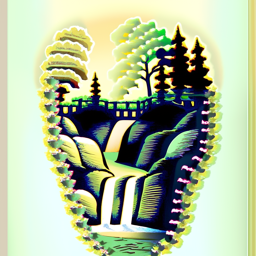
A lithograph of a skull
↔
A lithograph of waterfalls
High Pass (Normal Picture)

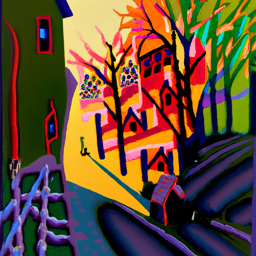
A painting of a red panda
↔
A painting of houseplant
High Pass (Normal Picture)
Part B: Flow Matching from Scratch
Part 1: Training a Single-Step Denoising UNet
Visualization of the Noising process
After implementing the UNet, we can visualize the noising process by selecting different noise levels . The following are the results of the noising process:

Training Process Visualization
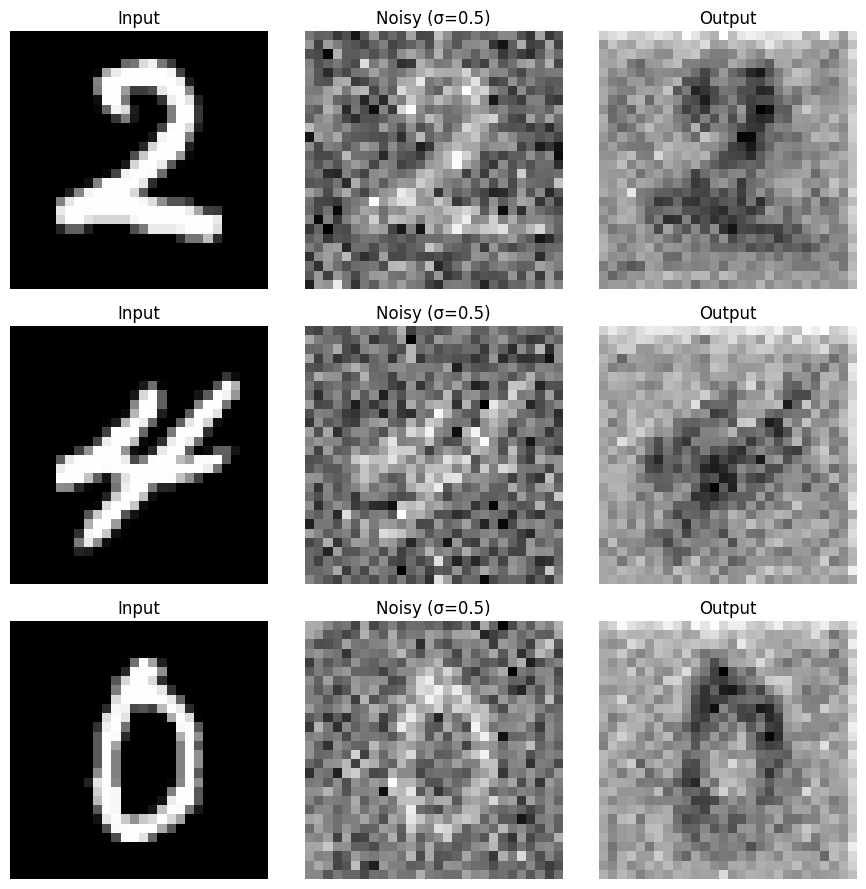
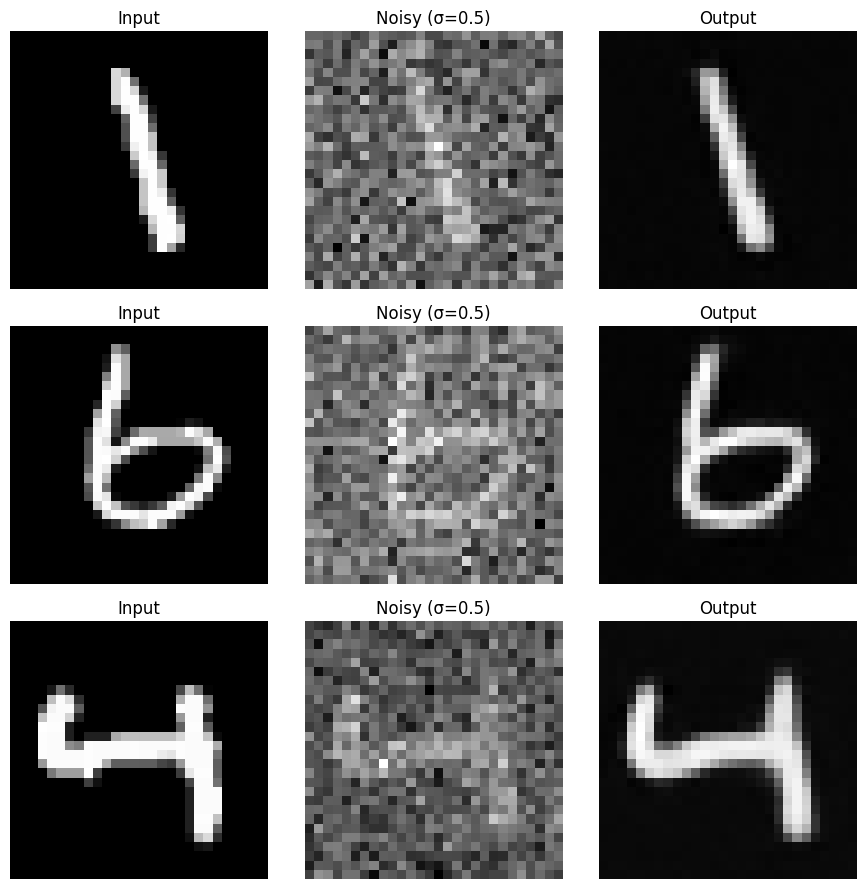
I have trained the UNet for 5 epochs and each epoch process 253 batches with the batch size of 64. I select some of the images in the batch and produce a visualization of the training process. The following are the results before the training (epoch 0) and after the training (epoch 5):
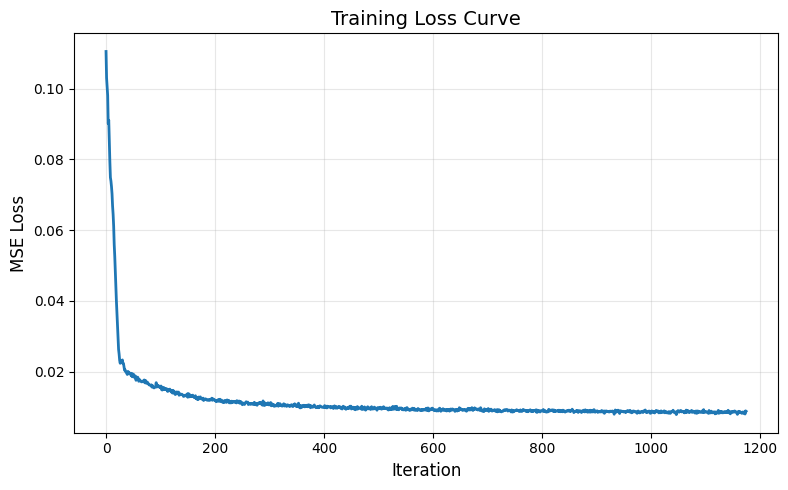
Training Loss Visualization
The training loss is as follows:
Out-of-Distribution Testing
I sample results on the test set with out-of-distribution noise levels after the model is trained. The following are the results:

You can see that for the noise level that was lower than 0.5, the generated images are quite good. However, for the noise level that was higher than 0.5, the denoised images perform poorly. This is because the model is not adapted to the noise higher than 0.5.
Denoising Pure Noise Visualization
I used the trained model to denoise pure noise (input the pure noise and then use the images to calculated the mean as loss) and the visualization of the training process are as follows:
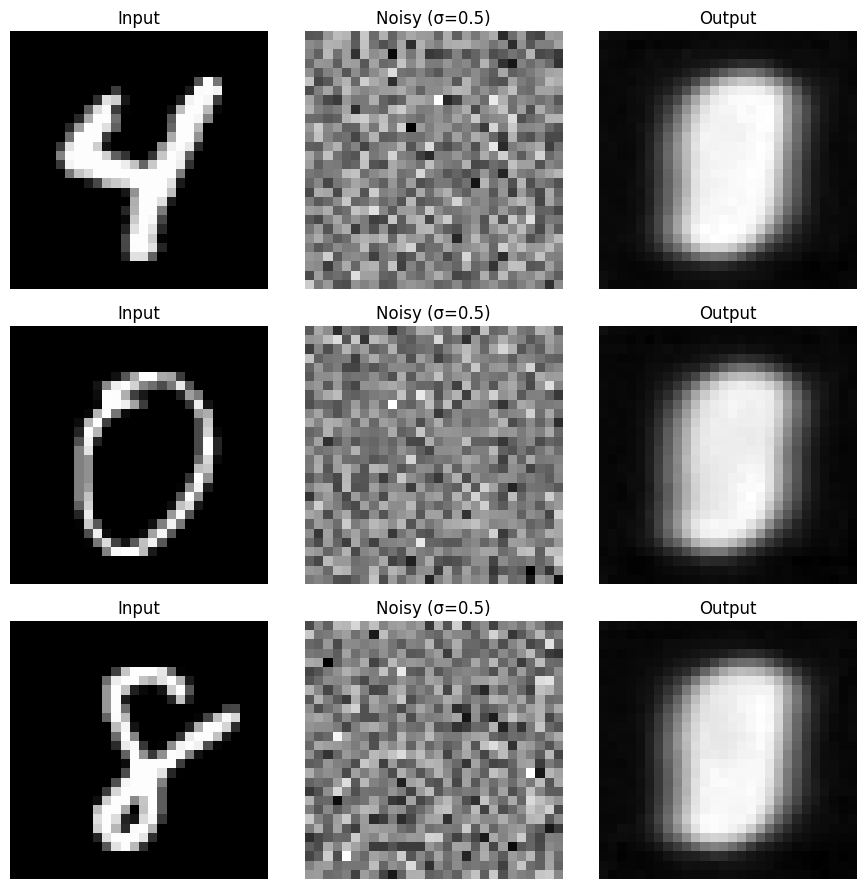
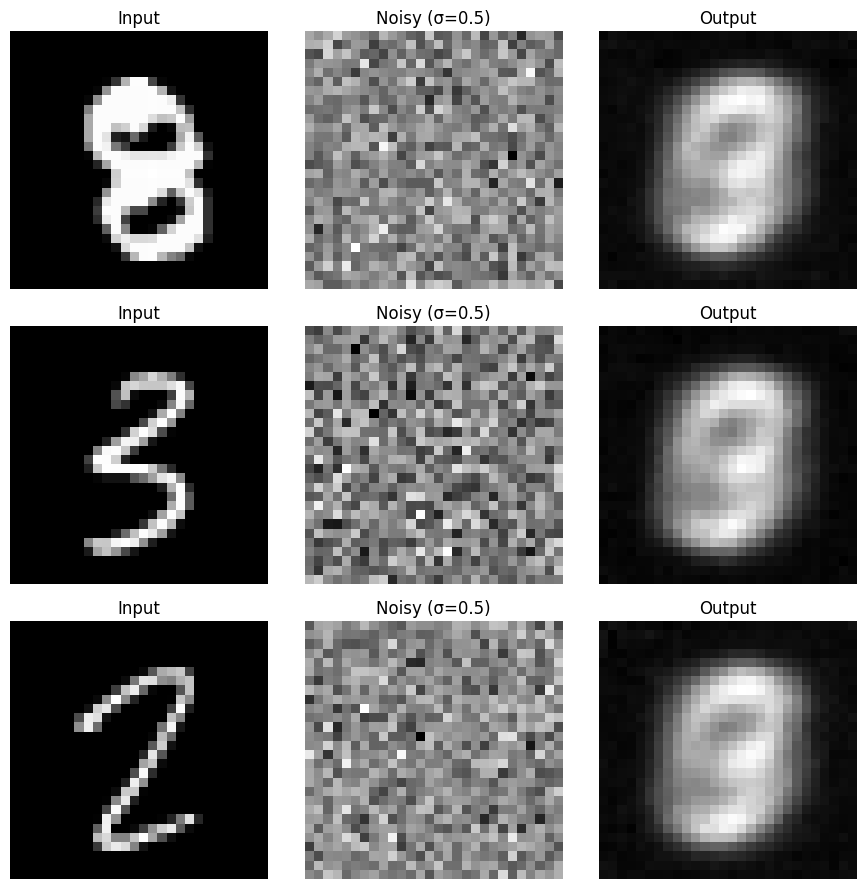
You can see that the model can barely denoise the pure noise.
Denoising Pure Noise Training Loss Visualization
The training loss is as follows:
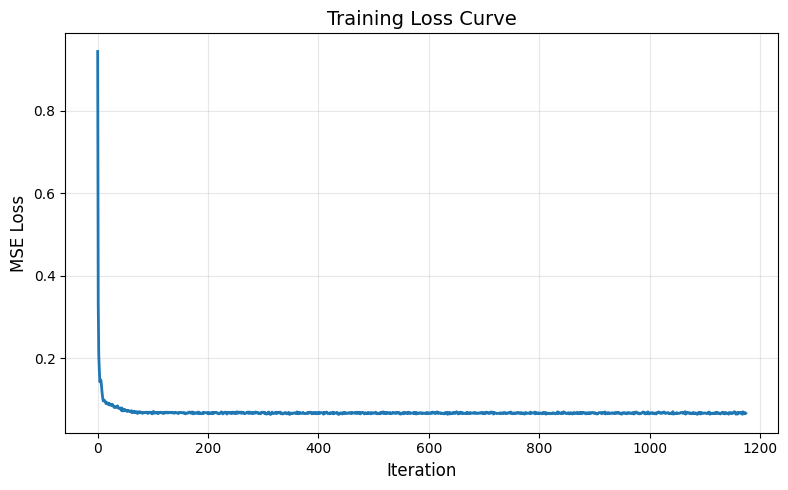
The training loss is decreasing, however the results for different labels are the same. This is because when we train the model using pure noise as input, the model cannot distinguish the differences between the inputs of different labels. Thus, the results for all the predicted labels are very similar because they are trained on a dataset that does not really distinguish the input. So the results seem to be a combination of all the numbers, you can see a ‘3’ shape, ‘6’ shape and ‘8’ shape because there are overlapping curves for these numbers. The results can also be summarized as a centroid for all the shape of the numbers.
Part 2: Training a Flow Matching Model
Training Loss for Time-Contiditioned UNet
After implementing the UNet as told in the ipynb notebook and the tutorial, I was able to train the flow matching model with converging loss. The learning rate I use is and the for the scheduler is .
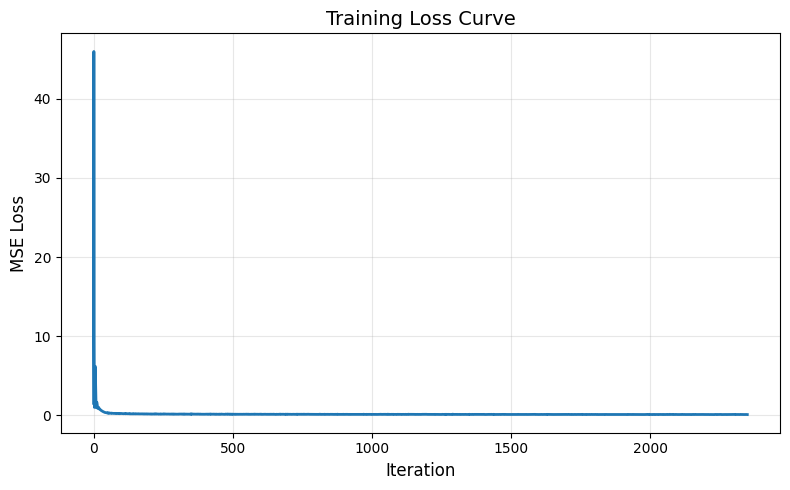
Sampling results from the Time-Conditioned UNet
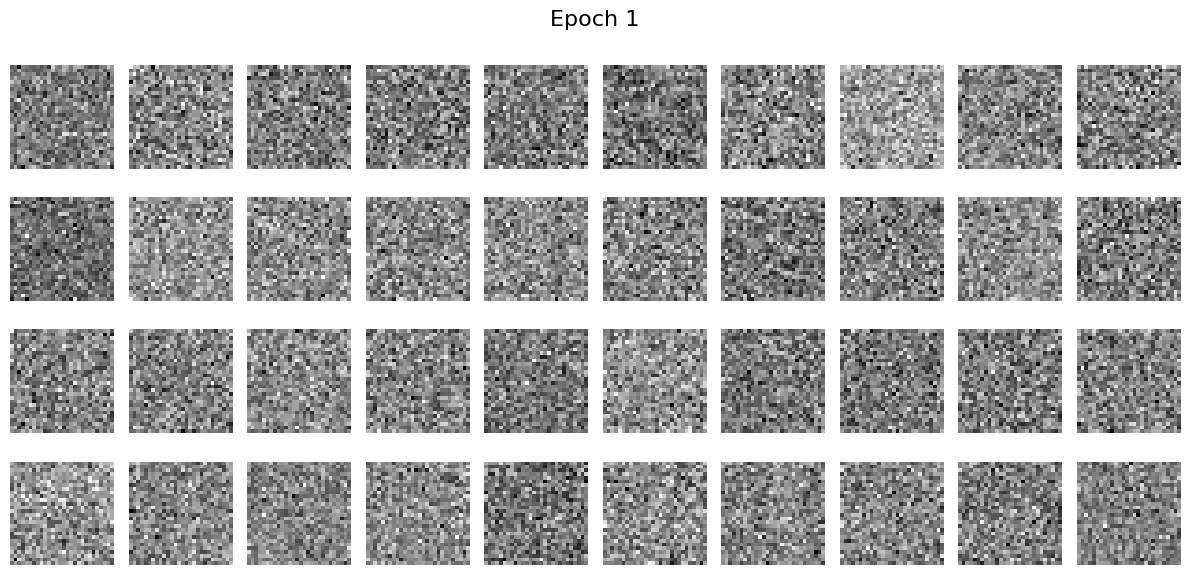
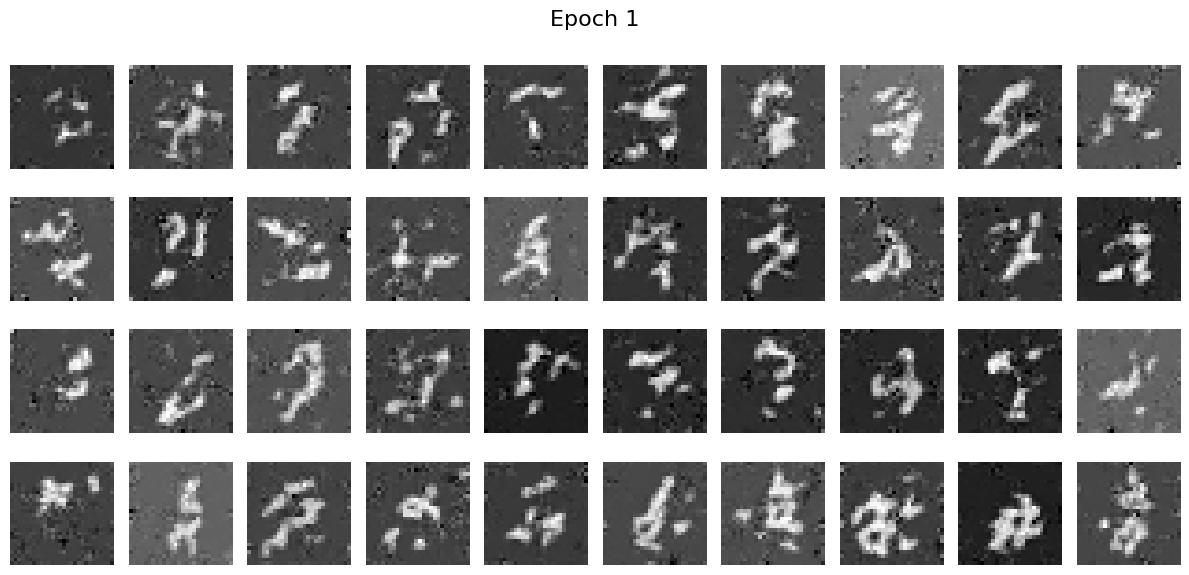
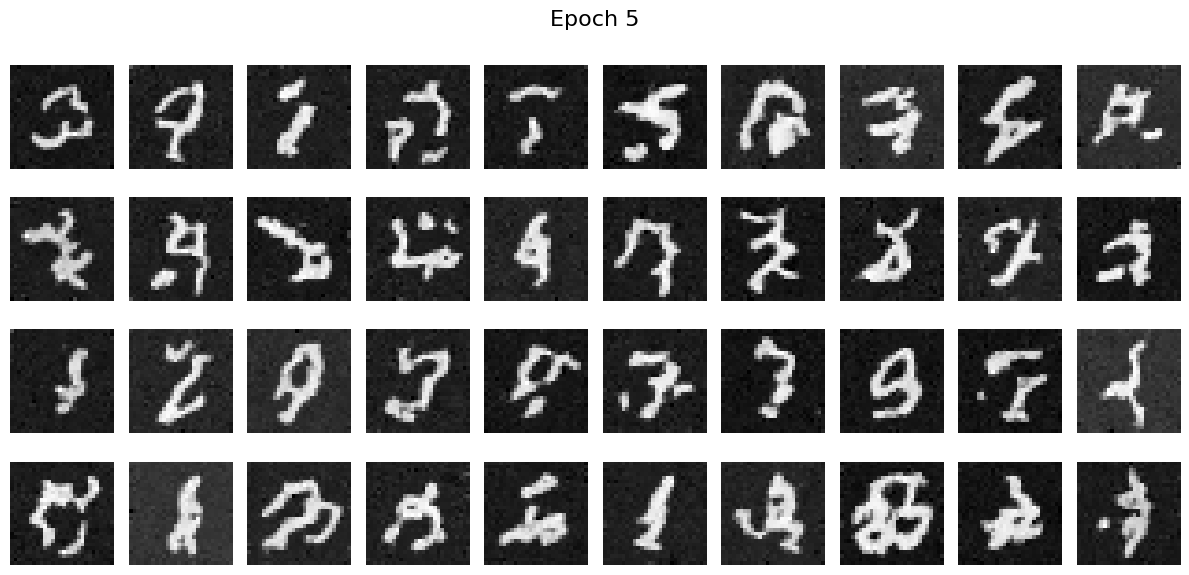
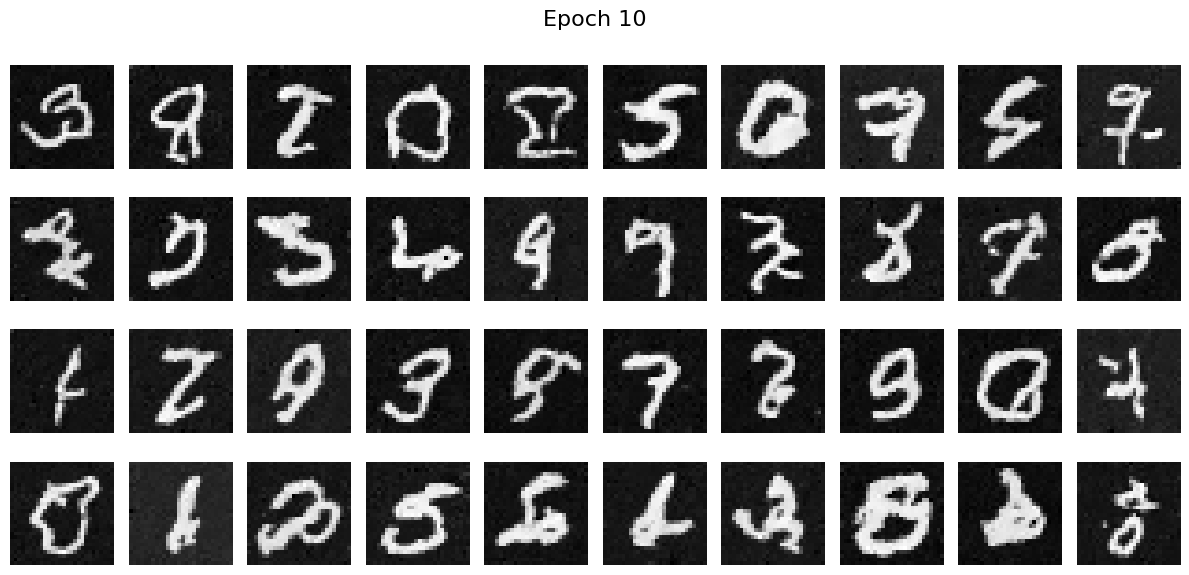
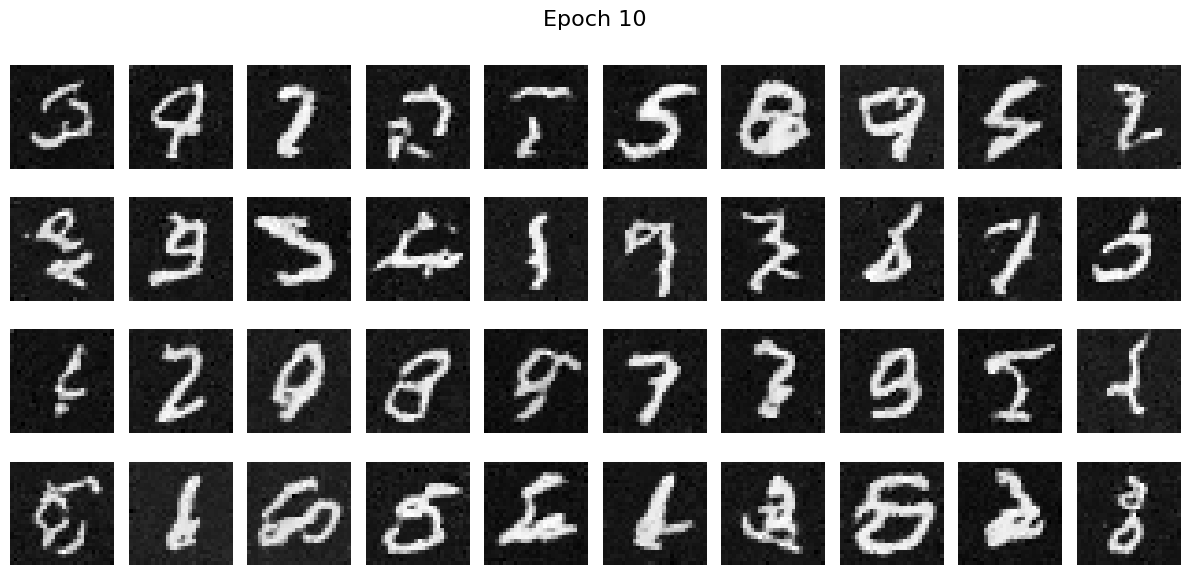
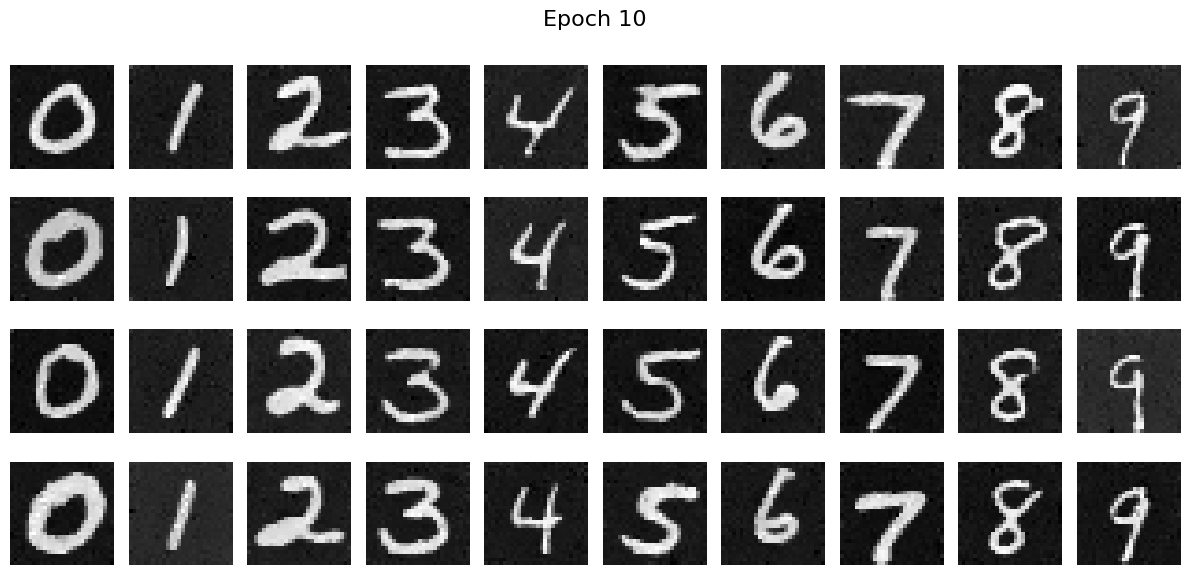
I sampled some results from the epoch 1, 5 and 10 and we can see that the resuls are quite good.
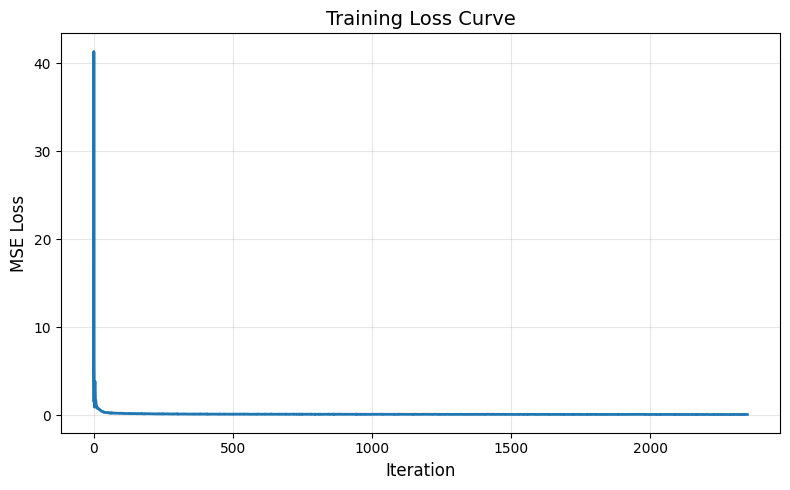
Training Loss for Class-Conditioned UNet
Using the same parameters in the Time-Conditioned UNet, we can get the following training curve.
Sampling results from the Class-Conditioned UNet
The visulization results are as follows:
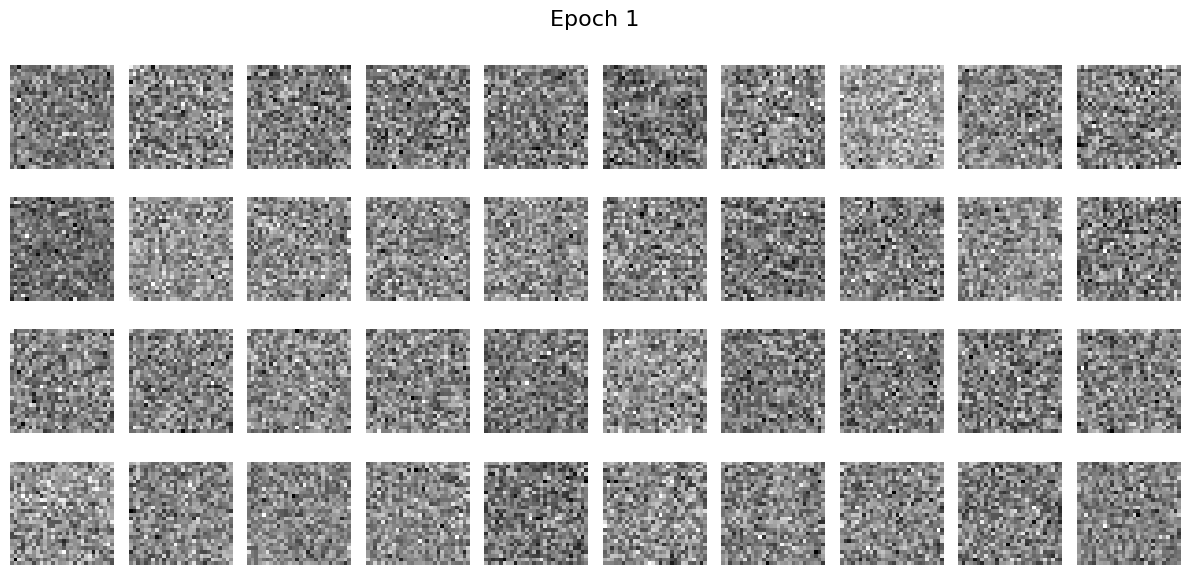
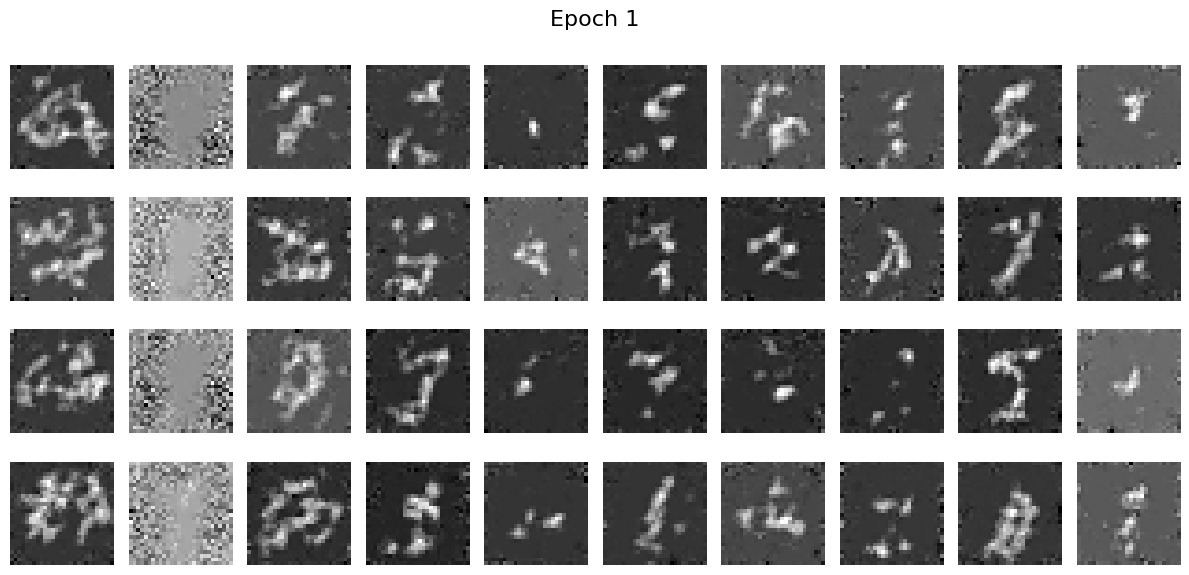
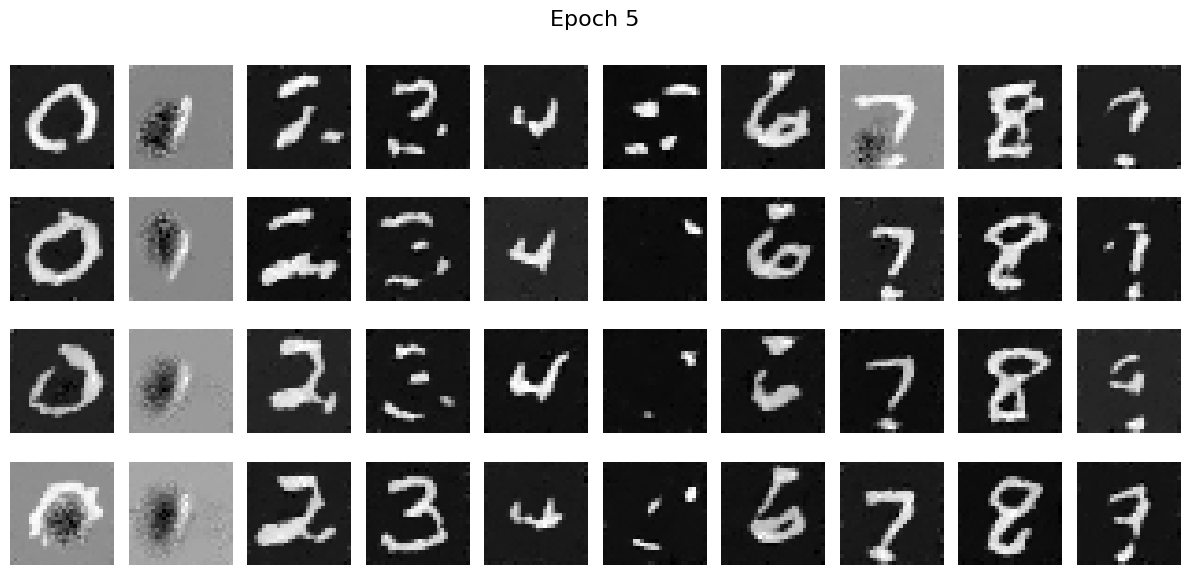
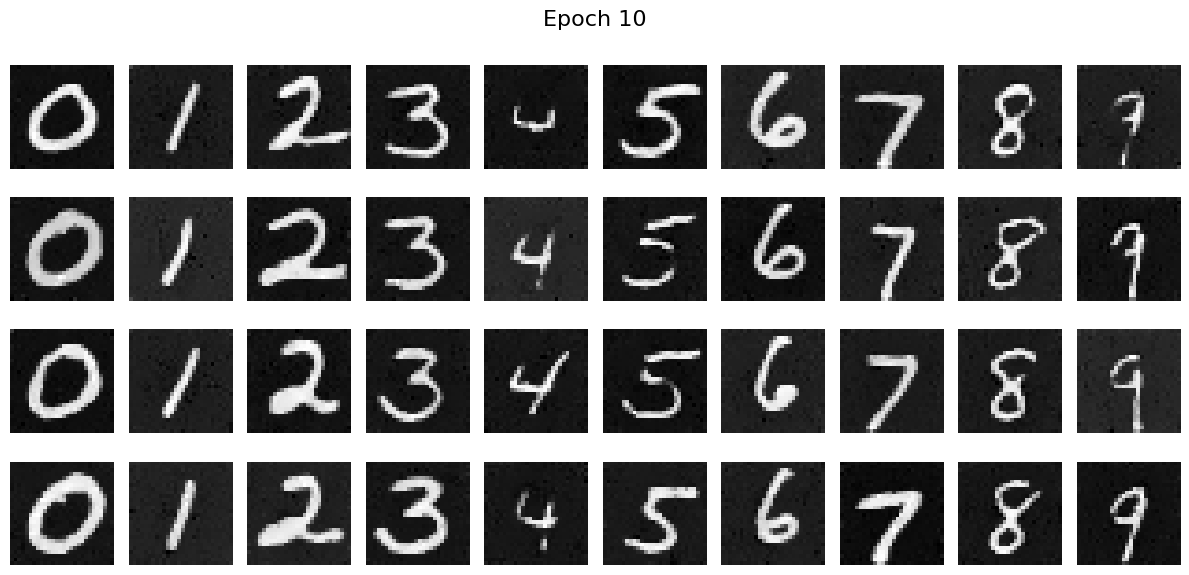
We can see that the Class-Conditioned UNet can help generate more accurate and clearer results than the time-conditioned network.
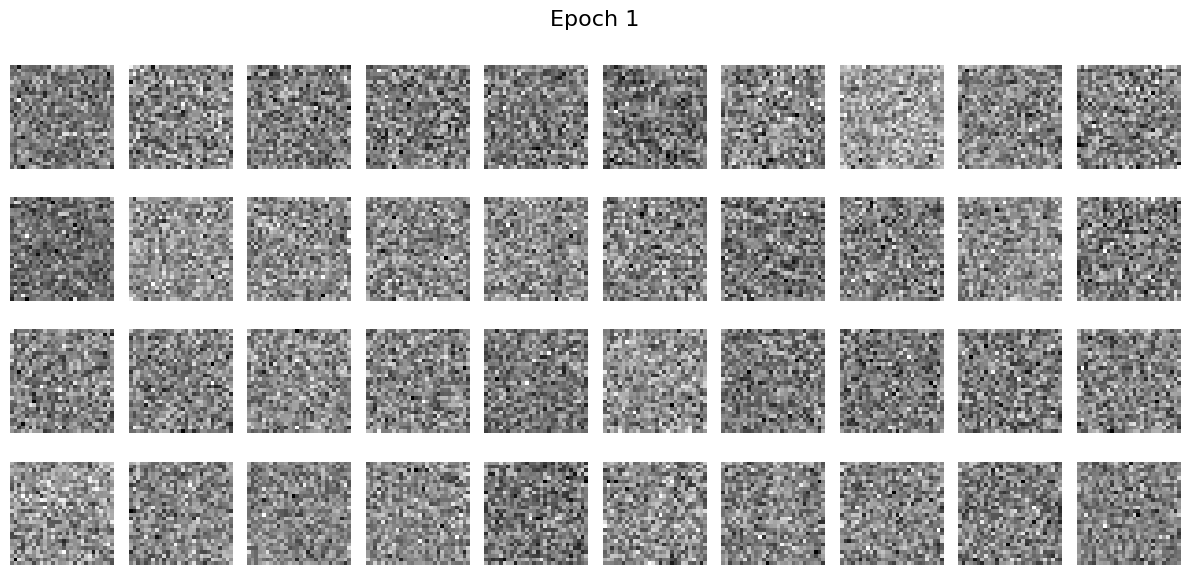
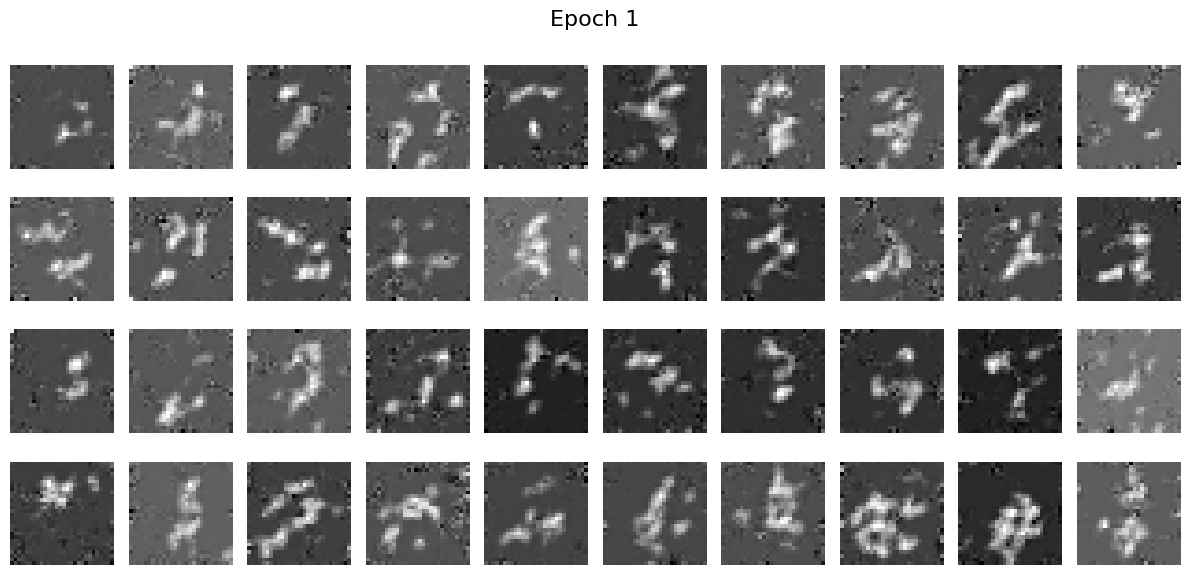
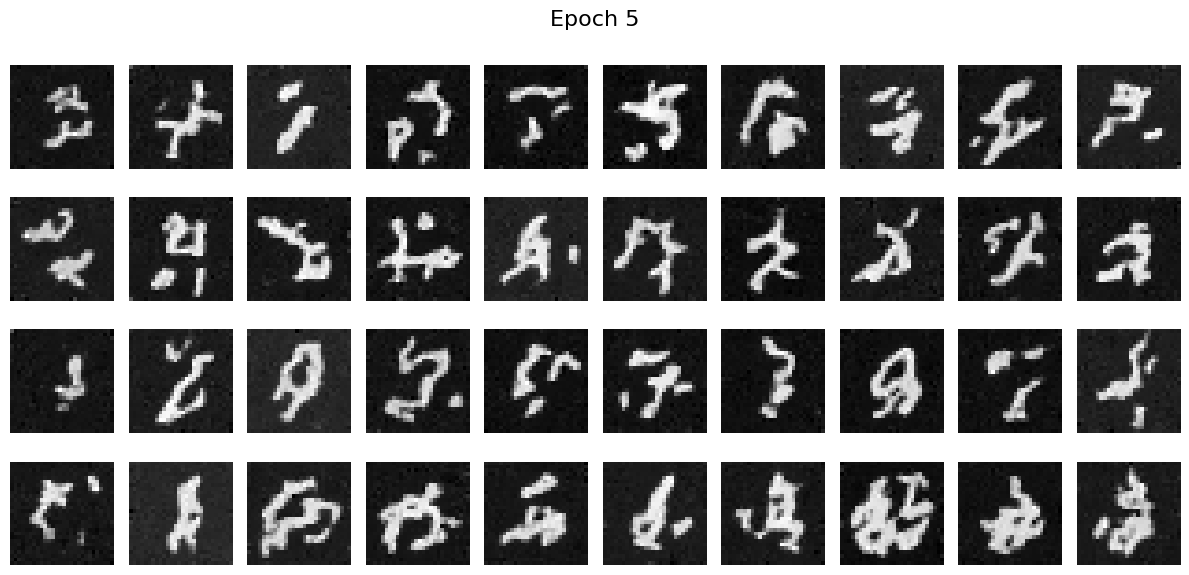
Train without scheduler
We observe that train without scheduler does not directly lead to a bad results. However, it does lead to slower convergence and therefore it is better to use scheduler.
Results with Time-Conditioned Network:
Results with Class-Conditioned Network:
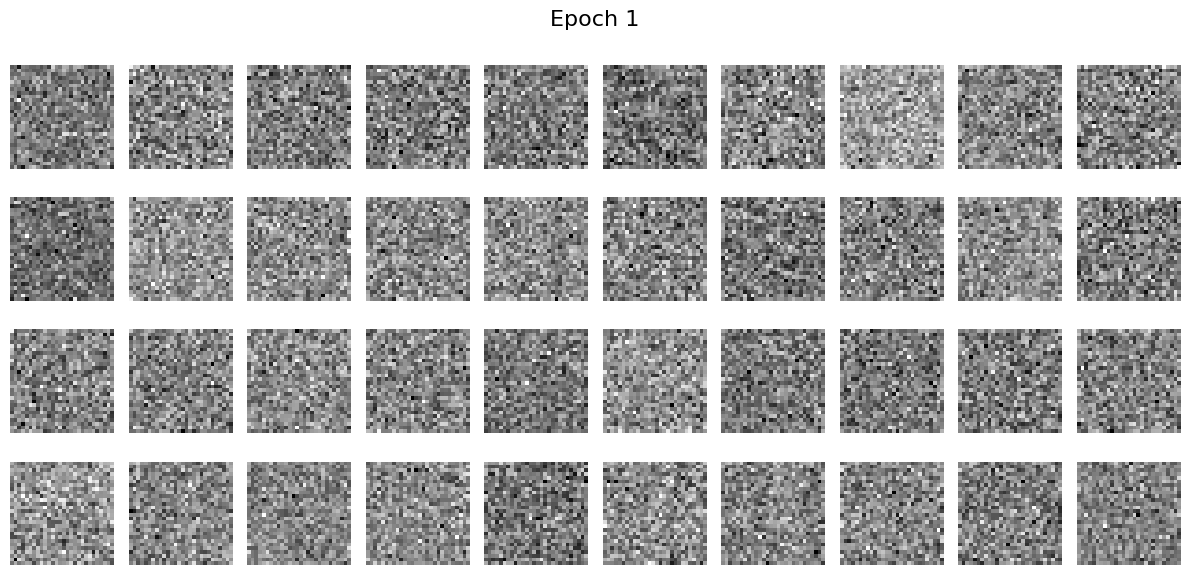
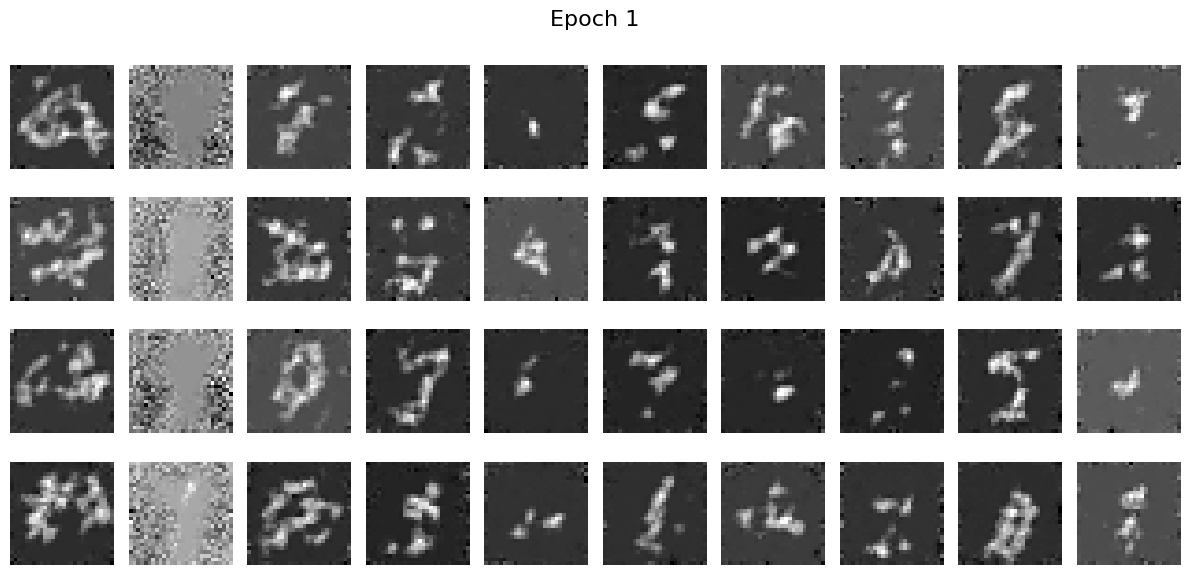
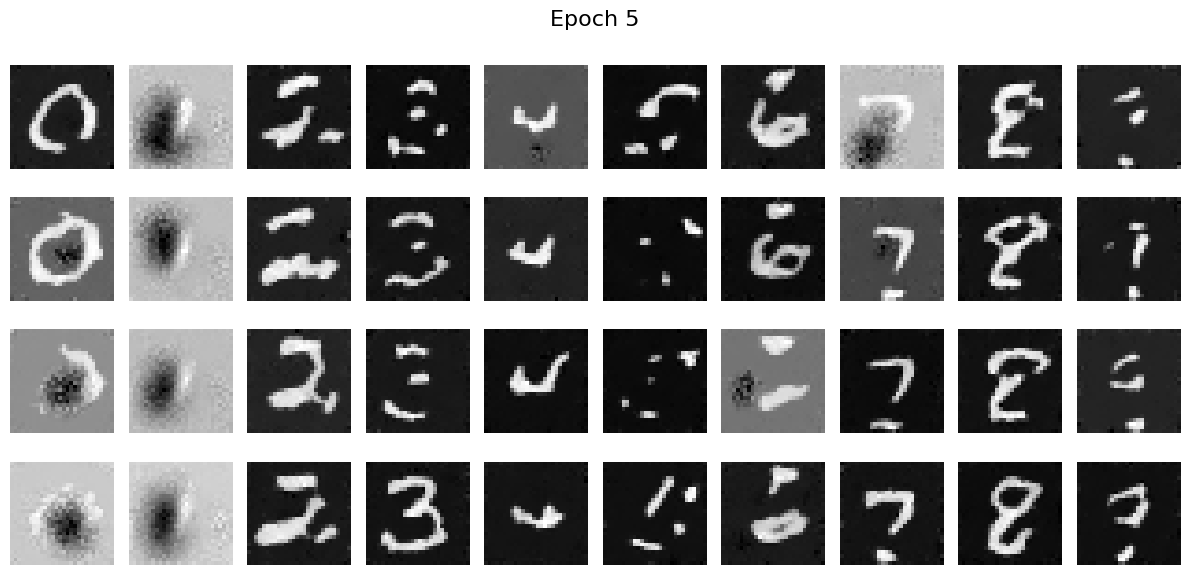
We can see that the differences between using scheduler and not using shceduler are not huge. However, using scheduler does lead to faster convergence.